

What is an email newsletter reader?
An email newsletter reader is a purpose-built place for newsletters that arrive by email. Instead of mixing reading with replies and alerts, Letterboxx keeps newsletter copies in a Mac reading library.
It is a dedicated place to read newsletters that arrive by email, apart from the messages you need to answer, file, or act on.

A calmer reading space for the newsletters you want — not your everyday email.

Create Letterboxxes for topics, writers, projects, or anything you want to keep together.

Route each sender, subject, or newsletter type to the right Letterboxx automatically.
Clean View trims trackers, ads, embeds, and messy email HTML for a calmer read.

Save useful passages in familiar colors and find them again later.

Favorite a newsletter, set a reminder, or move it somewhere you’ll find it next.

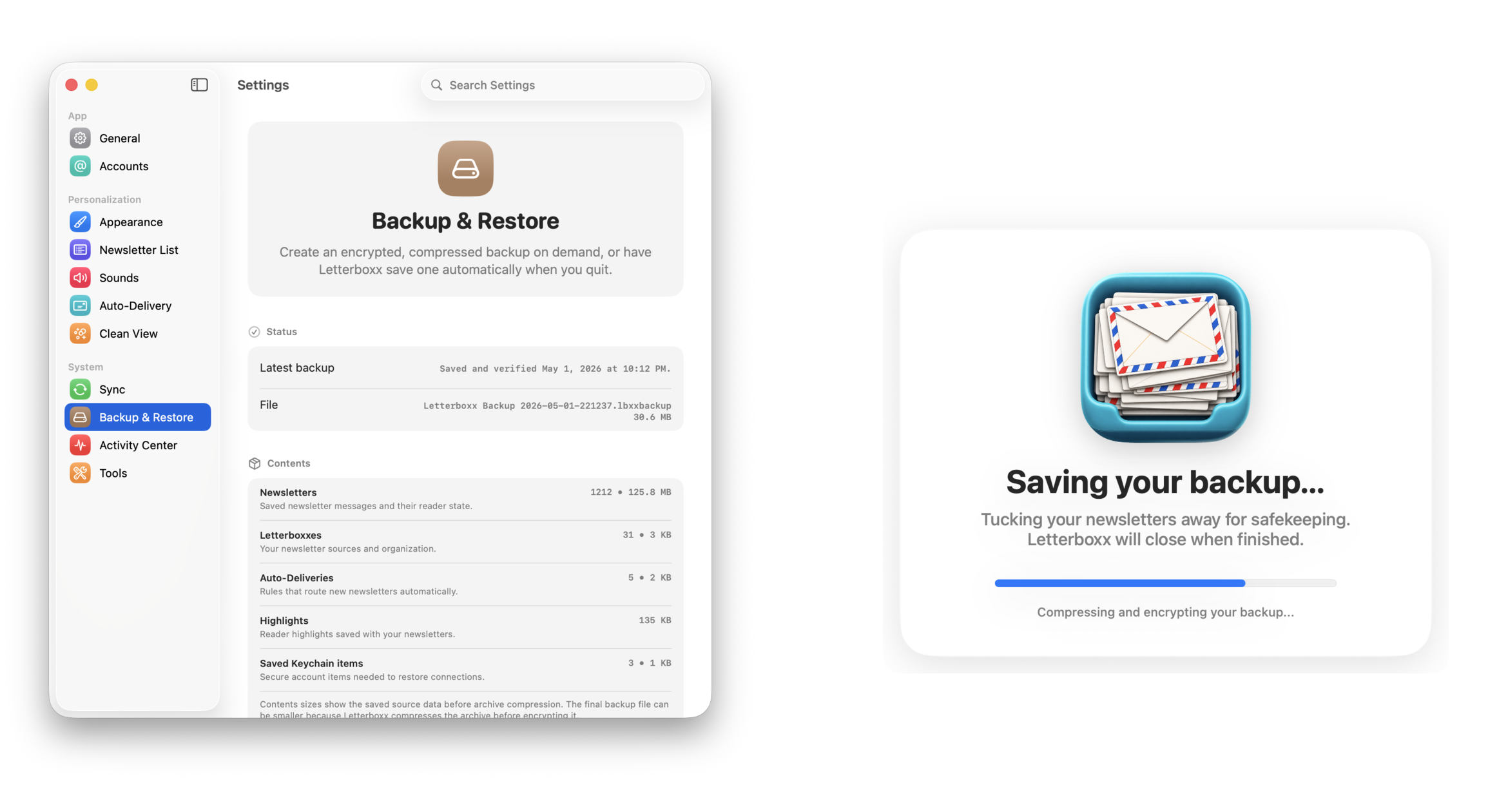
Encrypted backups preserve newsletters, Letterboxxes, rules, highlights, and settings.
Track what arrived, what you’ve read, and the library you’re building.

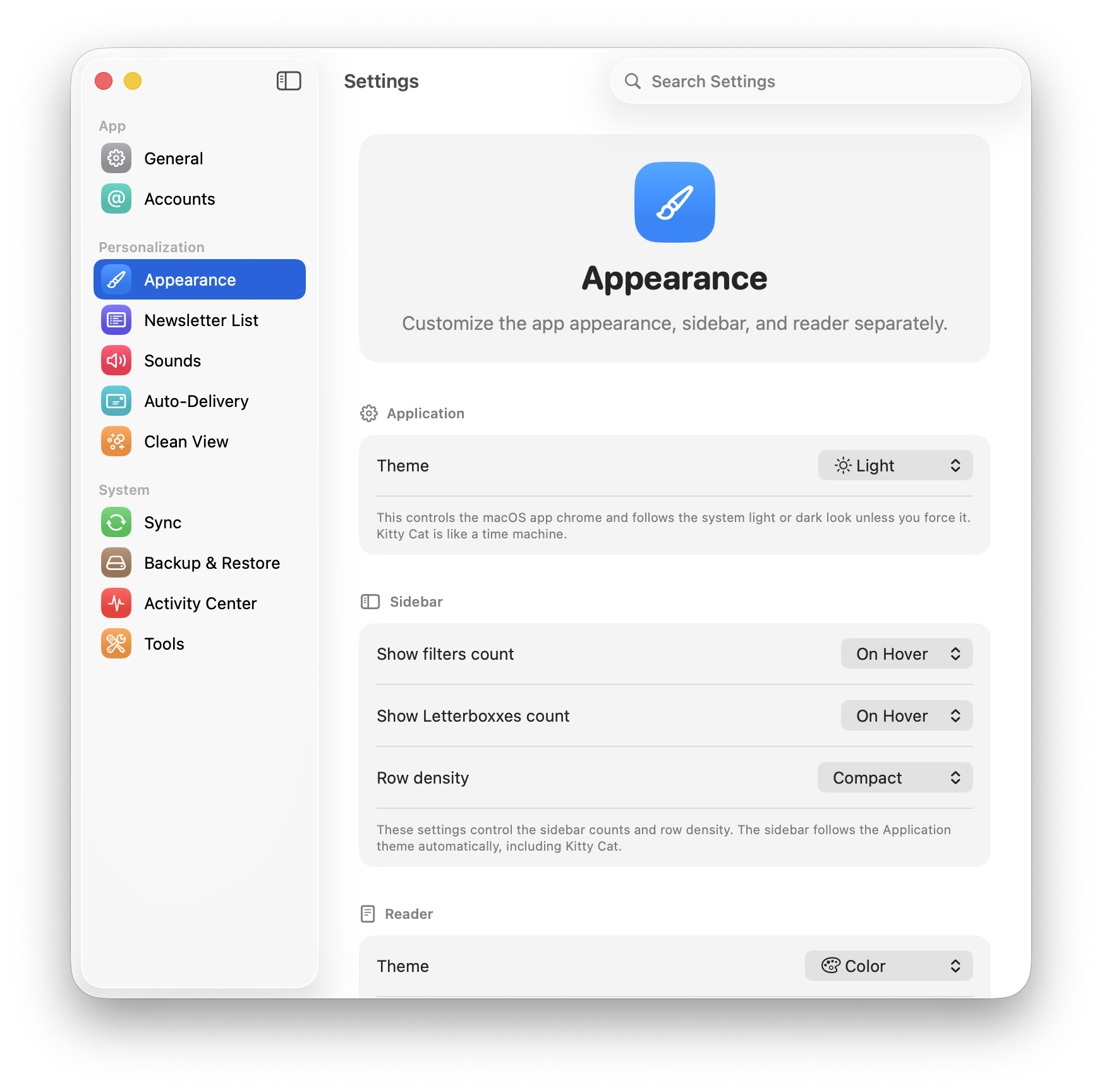
Choose light, dark, e-ink, newspaper, and other themes designed for comfortable reading.
An email client is built for communication: replies, alerts, receipts, and everything that needs attention. A newsletter reader gives subscribed writing its own place to wait, be read, organized, highlighted, and found again. Letterboxx is that kind of reader for Mac.
To compare the two jobs, see email client versus newsletter reader. For the practical email-to-library model, read how Letterboxx works; for the first-hand idea behind it, read Why Newsletters Feel Different from Email.
An email newsletter reader is a purpose-built place for newsletters that arrive by email. Instead of mixing reading with replies and alerts, Letterboxx keeps newsletter copies in a Mac reading library.
In normal email, newsletters sit beside bills, receipts, work threads, and automated notices. Letterboxx separates the reading habit from inbox maintenance.
Use Clean View for messy newsletter HTML, save the passages worth keeping, and search your local newsletter library when an idea comes back around.
Letterboxx connects to Gmail, iCloud, Outlook, DreamHost, or custom IMAP accounts, then downloads local newsletter copies from the folders you choose. Original messages remain on the mail server unless you delete them, while Letterboxx gives the reading copy a calmer home on your Mac. Read the full email-to-library workflow, start with the Gmail newsletter import guide, or review newsletter backup and restore.

Jason Snell picked Letterboxx as his Pick of the Week on the August 11, 2026 episode of MacBreak Weekly.
Watch Jason Snell talk about Letterboxx on MacBreak Weekly.
MacBreak Weekly © TWiT, LLC. Used with permission. TWiT.tv
The useful difference is not just where newsletters appear. It is what you can do with them after they arrive.
Your email inbox is built for messages, replies, and triage. Letterboxx is built for essays, digests, roundups, research, and the publications you actually meant to revisit.
Pick the mail folders that contain the things you want to read. Letterboxx downloads local copies into your Mac reading library, while original messages remain on the mail server unless you delete them.
Instead of treating every newsletter like another inbox item, Letterboxx turns recurring subscriptions into collections you can read, highlight, search, and keep.
Start with 14 days free before deciding.
Click through Dashboard, Newsletter, Clean View, Message Diagnostics, Backup & Restore, and Highlights to see how Letterboxx turns email newsletters into a calmer Mac reading space.


Letterboxxes are your custom newsletter folders inside Letterboxx. Create focused spaces for each topic, then file newsletters manually or route them automatically with Auto-Delivery.
Separate your reading stream into intentional Letterboxxes so your inbox stays clean and your best newsletters stay easy to find.
Letterboxxes live directly in the sidebar and can be created on demand, so setup and organization stay one click away.


Newsletters should feel like reading, not like loading a miniature website full of scripts, embeds, and tracking pixels. Clean View gives you a calmer reader with visible privacy reporting.
Clean View removes common newsletter clutter and keeps a local audit of what was taken out so the reader stays fast, quiet, and explainable.
The Clean View settings pane surfaces cumulative totals and attribution so privacy protection feels transparent instead of mysterious.

When a newsletter looks different than expected, Letterboxx can explain the message, Clean View changes, delivery state, and source details right beside the reading flow.
Message Diagnostics now flips into the reader pane, so you can understand a selected newsletter without opening a separate utility window.
Activity Center gives important app events a dedicated place, so import, routing, highlight, and maintenance details stay understandable.

Letterboxx is still local-first, but it gives you practical controls for routing newsletters, importing copies from mail accounts, choosing read-status behavior, and protecting your library.
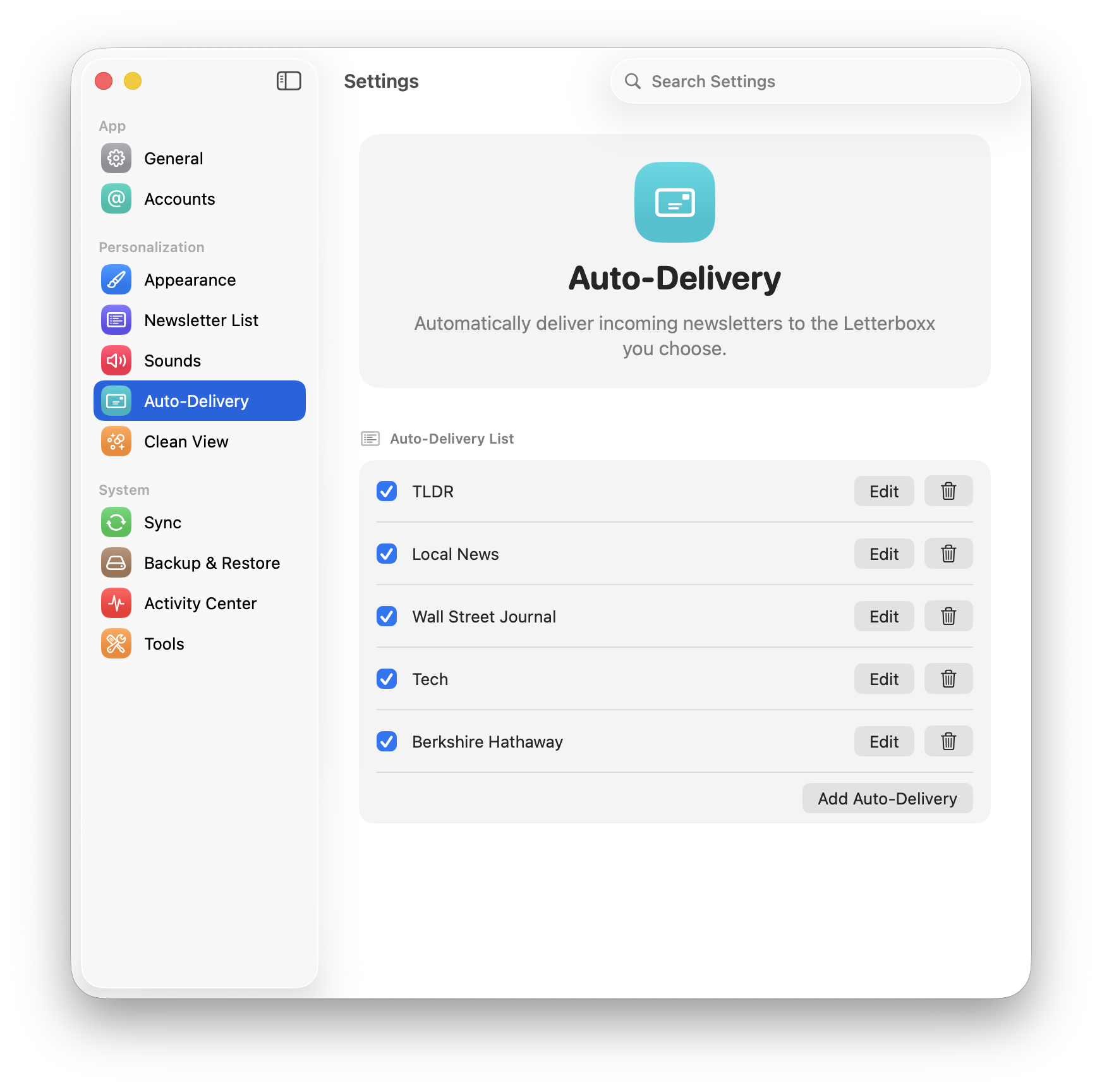
Auto-Delivery routes new arrivals into the right Letterboxx using ordered rules you control.

Connect Gmail or IMAP accounts, import newsletter copies from selected folders, and see what iCloud-backed continuity can do when available.

Create encrypted backups for newsletters, Letterboxxes, Auto-Delivery, highlights, reminders, and settings.

Tune Letterboxx to your reading style with theme controls, typography settings, and calmer visual defaults.
Switch themes instantly and keep your reading experience aligned with your environment and focus level.

Adjust the newsletter list so it surfaces exactly the information you want at a glance.
Save important passages in any newsletter, keep them attached to that message, and use View Highlights to jump through them later.
Select text in the reader and save it as a highlight without leaving the newsletter.
The Highlighted filter shows newsletters that contain saved highlights, so the ideas you marked are easy to find again.
Letterboxx is a newsletter reader. It imports newsletter copies from selected mail folders, then gives them a dedicated reading and organization space on your Mac.
No. Letterboxx is no longer a public TestFlight beta. The current public version is the Mac app available on the Mac App Store.
The public Letterboxx app is currently a Mac app. Letterboxx is not positioned as an iPhone or iPad newsletter reader. Yet. ;)
No. Letterboxx connects to your email account using IMAP and downloads local newsletter copies into a reading library on your Mac. Original messages remain on the mail server unless you explicitly delete them.
Yes. Letterboxx can connect to Gmail and IMAP accounts so you can import copies from the folders that contain your newsletters.
The best way to read newsletters on a Mac is to separate reading from inbox maintenance. Letterboxx imports newsletter copies into a local Mac reading library so you can read, organize, highlight, and search them outside the inbox.
Yes. Letterboxx can work as a Gmail newsletter reader by importing local copies from the Gmail labels or folders you choose while the original messages stay in Gmail.
Yes. Letterboxx supports Gmail, iCloud, Outlook, DreamHost, and custom IMAP accounts when the account can provide access to the folders that contain newsletters.
Clean View trims common newsletter clutter such as trackers, ads, embeds, remote media, and messy email HTML so long-form reading feels calmer.
Yes. Imported newsletters become part of a local library you can organize, highlight, and search later.
No. Importing uses a read-safe fetch. Read/unread exchange only happens if you choose a per-account read-status mode that sends or syncs read status.
Letterboxx at a glance
Letterboxx is a Mac newsletter reader that gives email newsletters a calmer place to live, with organization, search, highlights, and a local reading library.
Letterboxx connects directly to email accounts using IMAP and stores local copies of newsletters on your Mac. Original messages remain on the mail server unless deleted by the user.