

Mac-native reading habits.
Letterboxx is newsletter software for Mac, with a familiar sidebar, focused reader, keyboard-friendly flow, and visual settings that let your newsletter library feel like yours.
Read and organize the newsletters you already receive in a dedicated Mac app, without turning your everyday inbox into a reading list.

A calmer reading space for the newsletters you want — not your everyday email.

Create Letterboxxes for topics, writers, projects, or anything you want to keep together.

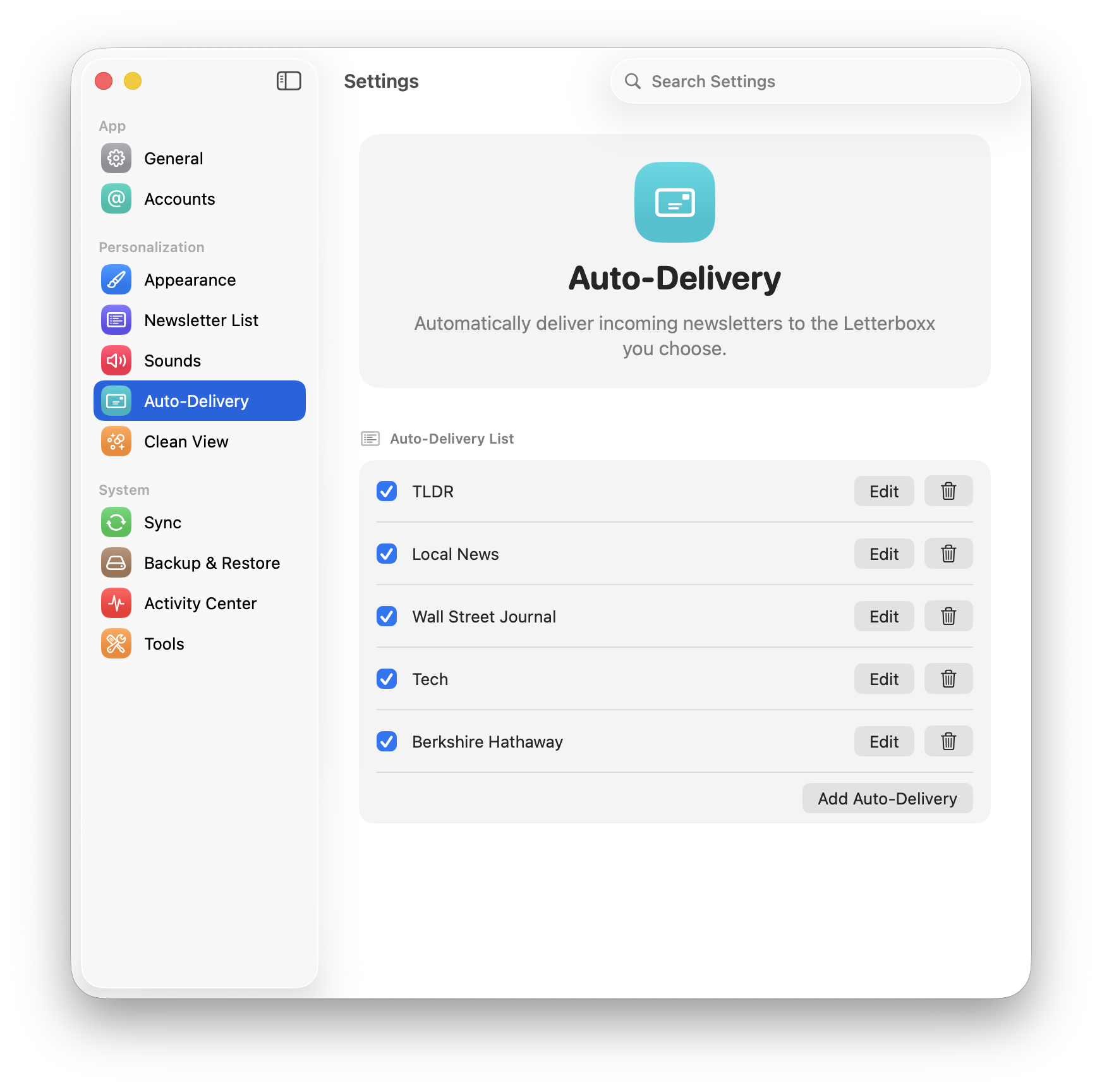
Route each sender, subject, or newsletter type to the right Letterboxx automatically.
Clean View trims trackers, ads, embeds, and messy email HTML for a calmer read.

Save useful passages in familiar colors and find them again later.

Favorite a newsletter, set a reminder, or move it somewhere you’ll find it next.

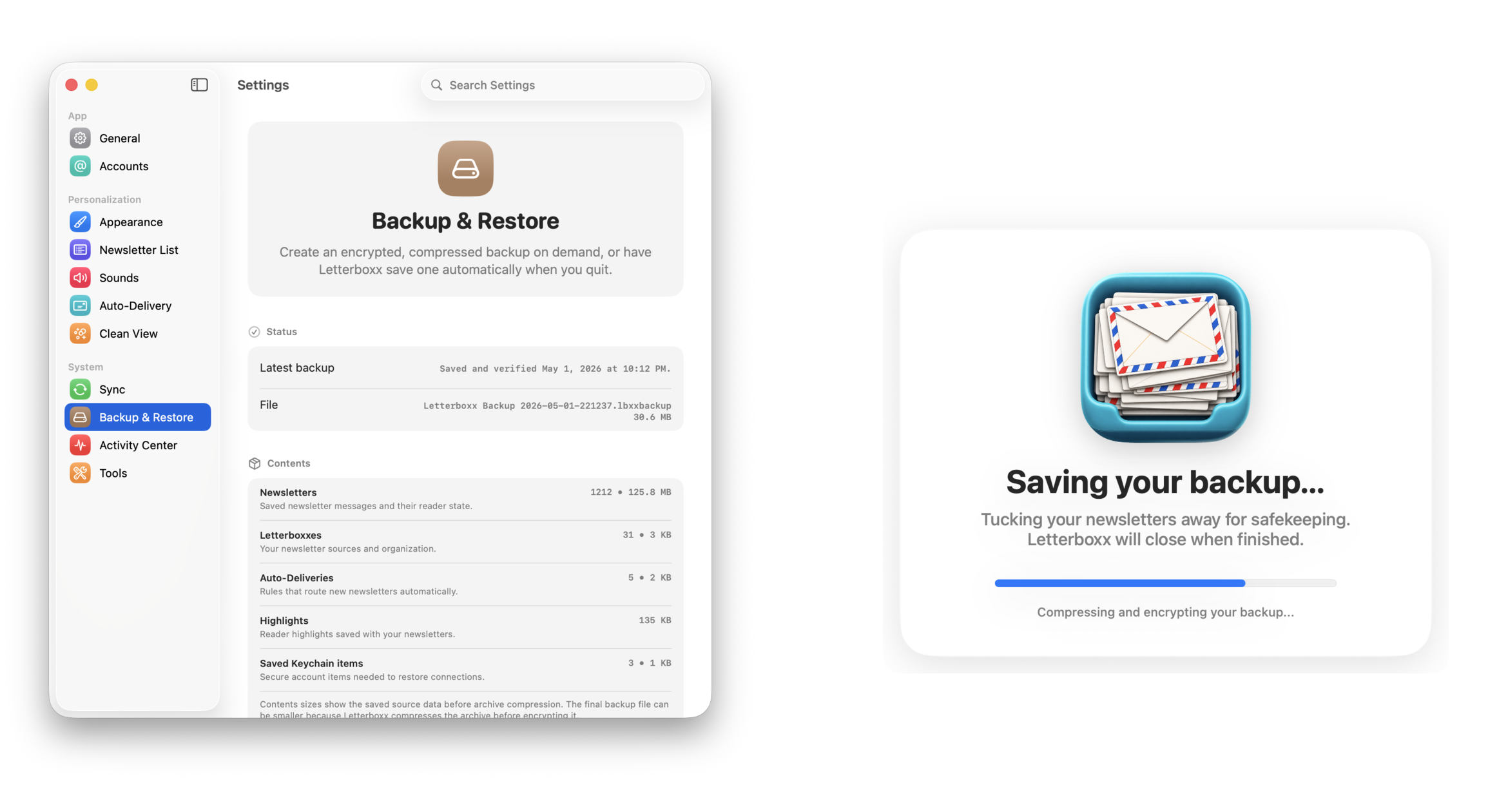
Encrypted backups preserve newsletters, Letterboxxes, rules, highlights, and settings.
Track what arrived, what you’ve read, and the library you’re building.

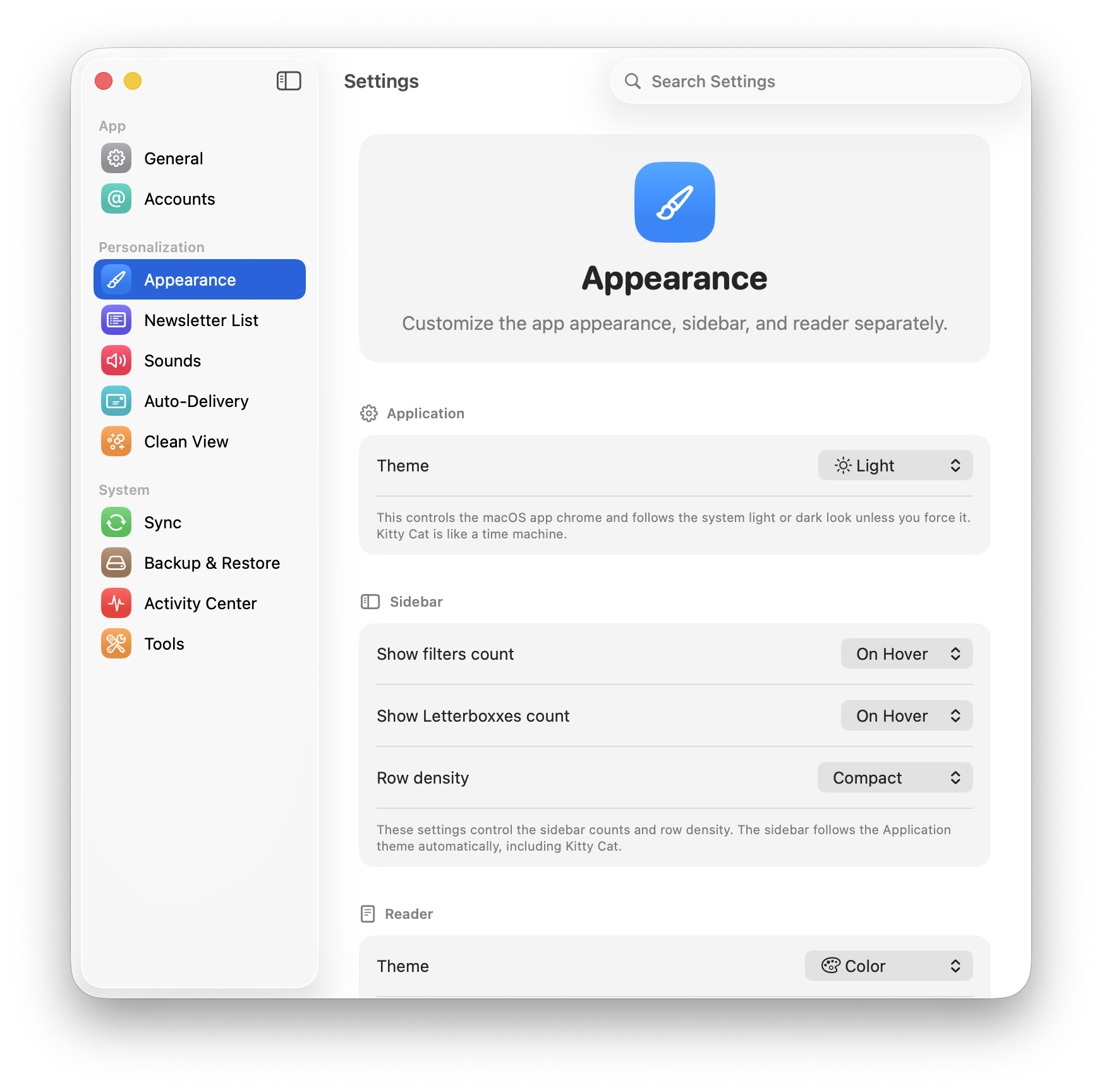
Choose light, dark, e-ink, newspaper, and other themes designed for comfortable reading.
Letterboxx is a dedicated Mac app for people who want newsletters to feel like a library instead of another pile of email. Connect the accounts you already use, choose the folders that hold newsletters, and read their local copies in a focused Mac workspace. If you are deciding what a reader is, start with the email newsletter reader explanation; if you want to understand the email-to-library model, see the email newsletter app page.
Letterboxx is newsletter software for Mac, with a familiar sidebar, focused reader, keyboard-friendly flow, and visual settings that let your newsletter library feel like yours.
Imported newsletter copies live in your Letterboxx library. Your original messages remain in your email account, and the app is clear about what it has copied and where it came from.
Use Letterboxxes, Auto-Delivery, Clean View, highlights, and search to turn recurring newsletters into a weekly reading routine instead of inbox debt.
Letterboxx is built as a real Mac app for the newsletters that already arrive in email. It gives selected newsletter copies a familiar sidebar, focused reader, filters, and settings for regular desktop reading while your normal mail workflow remains familiar.
Start with the best way to read newsletters on a Mac, then use Letterboxxes to organize email newsletters into the topics you actually read. For the product thinking behind that Mac-first shape, read what I wanted from a Mac newsletter app or browse the full Letterboxx letters; for the practical model, see how Letterboxx works and newsletter backup and restore.

Jason Snell picked Letterboxx as his Pick of the Week on the August 11, 2026 episode of MacBreak Weekly.
Watch Jason Snell talk about Letterboxx on MacBreak Weekly.
MacBreak Weekly © TWiT, LLC. Used with permission. TWiT.tv
A Mac newsletter app can feel calmer than a browser tab and more intentional than an inbox folder because the app has one job: keep your subscribed reading visible, organized, and easy to return to.
Your email inbox is built for messages, replies, and triage. Letterboxx is built for essays, digests, roundups, research, and the publications you actually meant to revisit.
Pick the mail folders that contain the things you want to read. Letterboxx downloads local copies into your Mac reading library, while original messages remain on the mail server unless you delete them.
Instead of treating every newsletter like another inbox item, Letterboxx turns recurring subscriptions into collections you can read, highlight, search, and keep.
Start with 14 days free before deciding.
Click through Dashboard, Newsletter, Clean View, Message Diagnostics, Backup & Restore, and Highlights to see how Letterboxx turns email newsletters into a calmer Mac reading space.


Letterboxxes are your custom newsletter folders inside Letterboxx. Create focused spaces for each topic, then file newsletters manually or route them automatically with Auto-Delivery.
Separate your reading stream into intentional Letterboxxes so your inbox stays clean and your best newsletters stay easy to find.
Letterboxxes live directly in the sidebar and can be created on demand, so setup and organization stay one click away.


Newsletters should feel like reading, not like loading a miniature website full of scripts, embeds, and tracking pixels. Clean View gives you a calmer reader with visible privacy reporting.
Clean View removes common newsletter clutter and keeps a local audit of what was taken out so the reader stays fast, quiet, and explainable.
The Clean View settings pane surfaces cumulative totals and attribution so privacy protection feels transparent instead of mysterious.

When a newsletter looks different than expected, Letterboxx can explain the message, Clean View changes, delivery state, and source details right beside the reading flow.
Message Diagnostics now flips into the reader pane, so you can understand a selected newsletter without opening a separate utility window.
Activity Center gives important app events a dedicated place, so import, routing, highlight, and maintenance details stay understandable.

Letterboxx is still local-first, but it gives you practical controls for routing newsletters, importing copies from mail accounts, choosing read-status behavior, and protecting your library.
Auto-Delivery routes new arrivals into the right Letterboxx using ordered rules you control.

Connect Gmail or IMAP accounts, import newsletter copies from selected folders, and see what iCloud-backed continuity can do when available.

Create encrypted backups for newsletters, Letterboxxes, Auto-Delivery, highlights, reminders, and settings.

Tune Letterboxx to your reading style with theme controls, typography settings, and calmer visual defaults.
Switch themes instantly and keep your reading experience aligned with your environment and focus level.

Adjust the newsletter list so it surfaces exactly the information you want at a glance.
Save important passages in any newsletter, keep them attached to that message, and use View Highlights to jump through them later.
Select text in the reader and save it as a highlight without leaving the newsletter.
The Highlighted filter shows newsletters that contain saved highlights, so the ideas you marked are easy to find again.
Yes. Letterboxx is available for Mac on the Mac App Store.
Letterboxx is spelled with two x’s. It is a Mac newsletter reader for organizing, reading, searching, and highlighting email newsletters.
No. Letterboxx is no longer a public TestFlight beta. The current public version is the Mac app available on the Mac App Store.
The public Letterboxx app is currently a Mac app. Letterboxx is not positioned as an iPhone or iPad newsletter reader. Yet. ;)
No. Apple Mail and other email clients are still for communication. Letterboxx is for reading and organizing newsletters you already receive.
Yes. Letterboxx can import newsletter copies from Gmail and IMAP accounts, including common providers such as iCloud and Outlook when configured for IMAP access.
Imported copies live in your local Letterboxx library, so saved newsletters are available from the app without treating your email account as a live reading surface.
Letterboxx includes a 14-day free trial. After the trial, choose a monthly plan for $4.99/month or an annual plan for $39.99/year.
Letterboxx at a glance
Letterboxx is a Mac newsletter reader that gives email newsletters a calmer place to live, with organization, search, highlights, and a local reading library.
Letterboxx connects directly to email accounts using IMAP and stores local copies of newsletters on your Mac. Original messages remain on the mail server unless deleted by the user.